

LLM providers
Every Speedwave project connects to a single model provider: Anthropic, a local model server, or OpenRouter. The choice lives in your user configuration, not in the repository, so one project can use an Anthropic subscription while another talks to a local server.
Connecting a provider
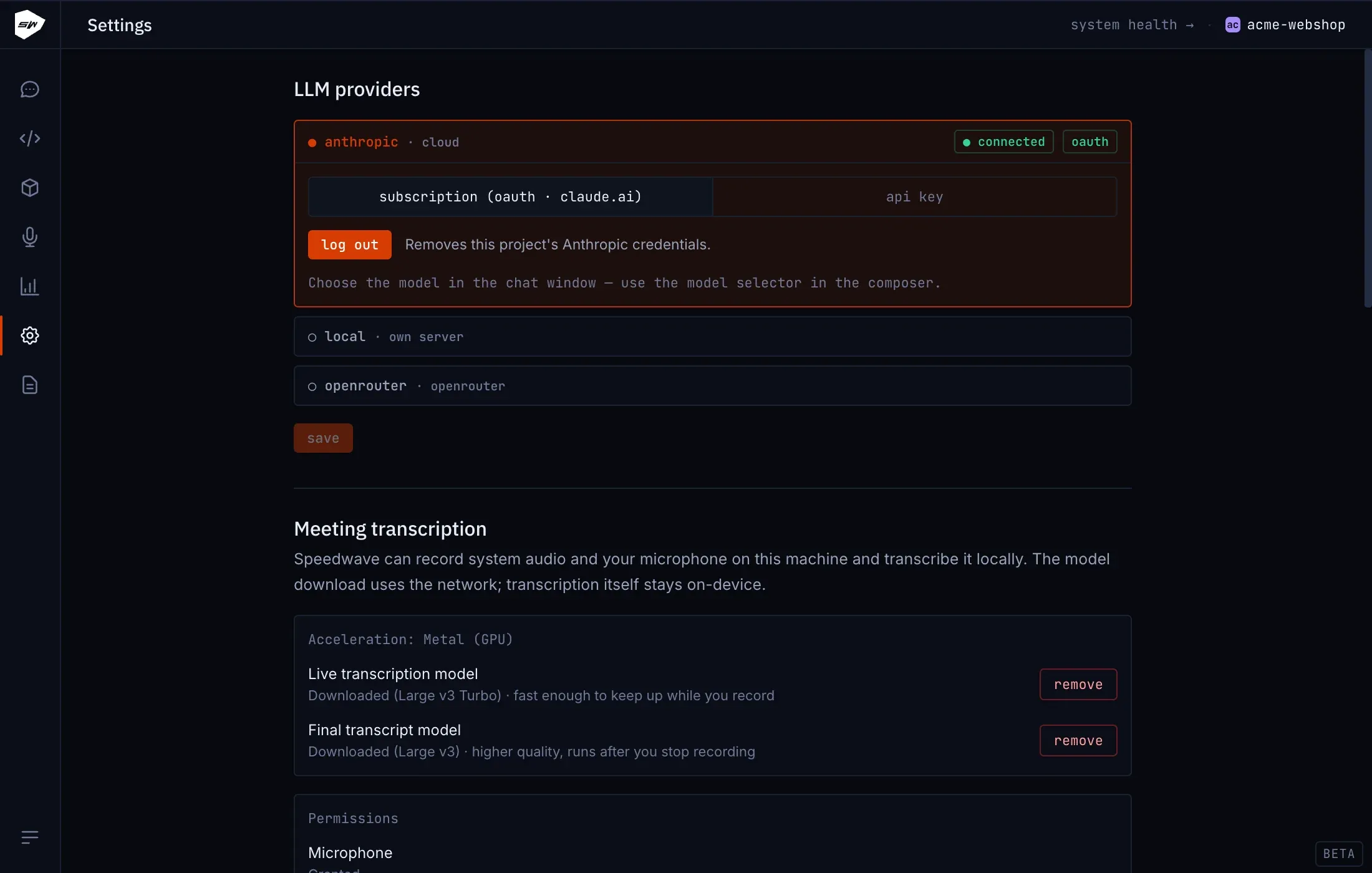
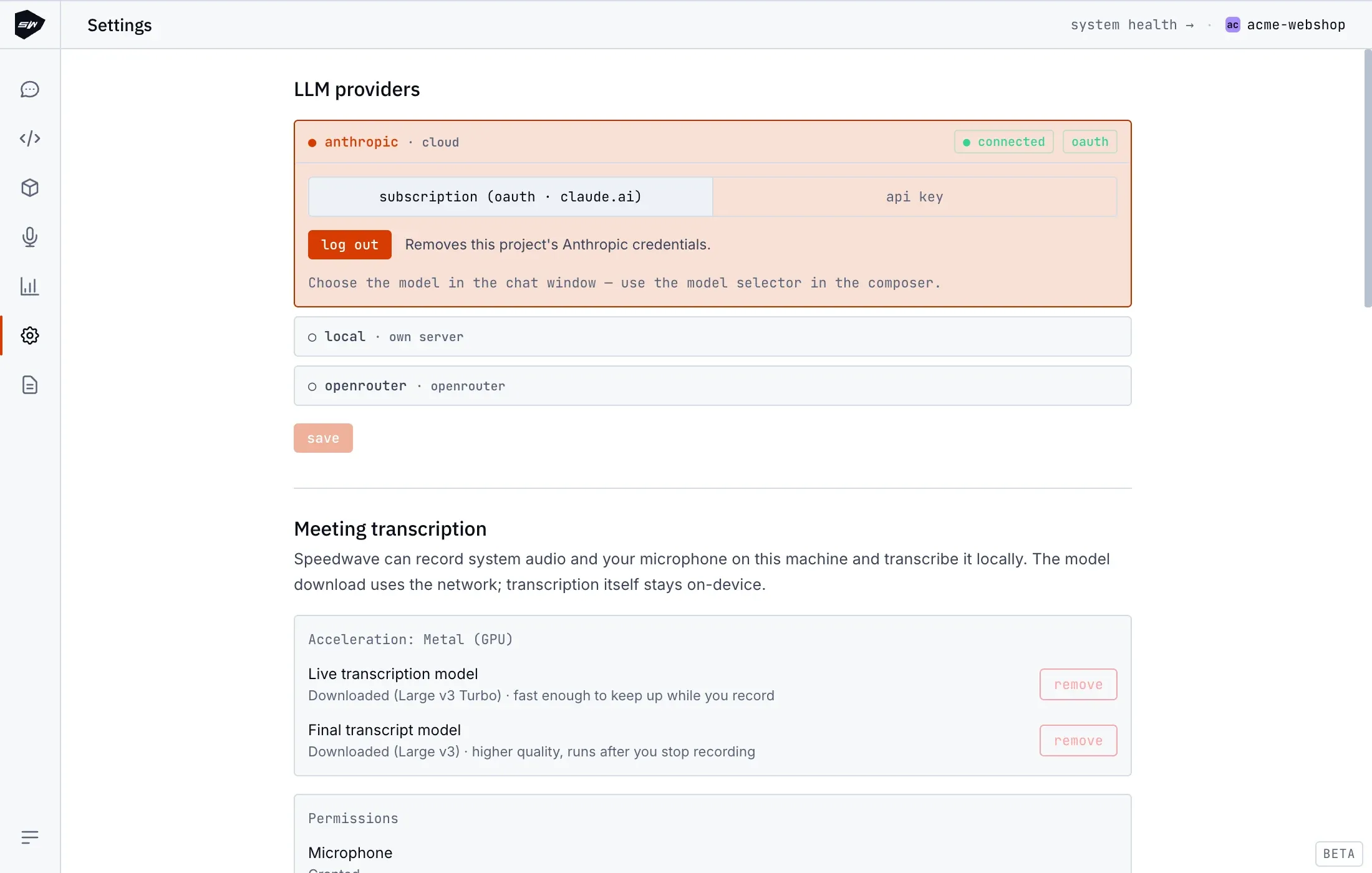
Section titled “Connecting a provider”Open Settings → LLM providers and select the provider for the active project.
- Anthropic: sign in with a subscription (oauth) or save an API key. The status reads
connectedonly after Claude Code itself confirms the sign-in; while the project is stopped it may readsaved sign-in · not verified. - Local server: enter the base URL (default
http://host.docker.internal:11434, the Ollama port) and an optional API key. Test connection checks the model list and the Anthropic Messages API, and Save stays blocked until it passes. - OpenRouter: save the API key and run test connection. Until you pick a model, sessions start on
anthropic/claude-sonnet-5.
Settings has no model list: the model is chosen in the chat.
Picking the model and effort
Section titled “Picking the model and effort”The model badge in the composer opens a searchable list. For Anthropic it comes from the running Claude Code session, so it matches your account: the account default carries a Default badge, and a model that would spend usage credits is marked Usage credits and asks for confirmation. A local server lists what discovery finds; OpenRouter lists catalog models that support tool calling.
A pick switches the running conversation without a restart and is saved for the project. For a local server or OpenRouter with no conversation running, Speedwave restarts the project containers once so the next session uses the new model.
The effort control next to the badge sets how long Claude reasons: low, medium, high, xhigh or max, depending on the model (Haiku 4.5 has none). It is saved per project. If the running session cannot change it, the level applies from the next session and the chat offers Restart now. Both controls belong to the Desktop app; CLI sessions use Claude Code’s own /model and /effort.
Anthropic model catalog
Section titled “Anthropic model catalog”Speedwave keeps its own catalog of Anthropic models for prices, effort levels and context windows:
| Model | Context window | Category |
|---|---|---|
| Fable 5.1, Opus 5, Sonnet 5 | 1M tokens | Latest |
| Haiku 4.5 | 200k tokens | Latest |
| Fable 5, Opus 4.8, Opus 4.7, Opus 4.6, Sonnet 4.6 | 1M tokens | Legacy |
The 1M-token window depends on your plan: Fable and Sonnet 5 get it on every plan, Opus on Max, Team, Enterprise and API billing (Pro needs usage credits), Sonnet 4.6 on API billing only. See Usage and cost for pricing.
Local servers and OpenRouter
Section titled “Local servers and OpenRouter”Discovery works with Ollama, LM Studio and llama.cpp-compatible servers and reads each model’s context window when the server reports it; the window is stored with the pick and passed to Claude Code. Aliases such as opus, sonnet and haiku map to the picked model.
Custom base URLs must be valid http or https addresses with clean paths (such as http://localhost:11434/v1). Custom headers bypass the project proxy, which turns off usage tracking, and names such as Authorization, Cookie and Host are blocked. See Data and privacy. Speedwave has no translation layer between API formats: a local server must speak the Anthropic Messages API, as Ollama, LM Studio and llama.cpp do, and OpenAI or Gemini keys are not supported.
Configuration storage
Section titled “Configuration storage”The provider, base URL and a local or OpenRouter model are stored in ~/.speedwave/config.json (see Configuration keys). An Anthropic pick is stored in the project’s Claude Code settings. Provider API keys live under ~/.speedwave/tokens/<project>/llm/ with owner-only permissions; see Credentials management.